


Do you know what the most important tip for Claude Code is according to the person who originally made it?
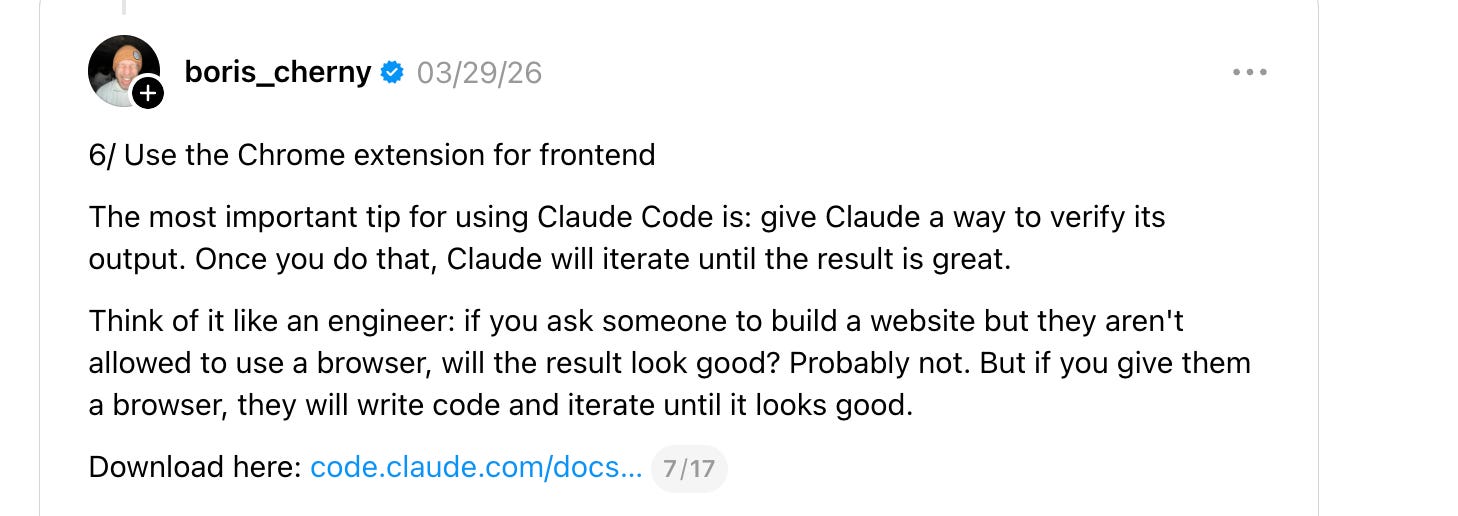
A few months back, Boris Cherny, creator of Claude Code and Anthropic engineer, wrote on Threads:
6/ Use the Chrome extension for frontend
The most important tip for using Claude Code is: give Claude a way to verify its output. Once you do that, Claude will iterate until the result is great.
Think of it like an engineer: if you ask someone to build a website but they aren’t allowed to use a browser, will the result look good? Probably not. But if you give them a browser, they will write code and iterate until it looks good.
It’s obvious that a human web developer needs to see the web app that he’s building to do a good job, so it should be just as obvious that an agent needs the same.
But what’s not obvious at all is the best way to accomplish that.
Boris, in this case, was discussing Claude-in-Chrome, a browser extension that enables Claude to drive Chrome, including seeing and testing web apps. Claude-in-Chrome is appealing because it’s the first-party option for doing this with Claude Code, but it has plenty of competition.
From Playwright MCP to An Ocean Of Competitors
At the start of the year, Playwright MCP was one of the most popular ways to have the agent “see” the web app it’s building. But Playwright MCP has been frequently criticized for its tendency to burn large amounts of tokens loading accessibility trees, so much so that Playwright MCP’s own README now recommends using Skills + CLI for many coding-agent use cases instead.
Modern coding agents increasingly favor CLI–based workflows exposed as SKILLs over MCP because CLI invocations are more token-efficient: they avoid loading large tool schemas and verbose accessibility trees into the model context, allowing agents to act through concise, purpose-built commands. This makes CLI + SKILLs better suited for high-throughput coding agents that must balance browser automation with large codebases, tests, and reasoning within limited context windows.
Quick aside on accessibility trees:
Why are we talking about accessibility trees? Accessibility trees are a semantic model of a webpage that were originally created for screenreaders, but also end up being more compact and useful representations of a webpage than pure HTML, making them commonly used when producing outputs that will be consumed by agents.
Claude-in-Chrome sidesteps the problem of loading a large third-party tool schema because it’s a first-party integration, but it still “sees” the web page through an accessibility tree, which can create the same problems of token burn and context pollution that Playwright’s Skills recommendation tries to avoid.
And it’s worth noting, Claude-in-Chrome has many other competing options for the use case of letting the agent check its work:
Playwright MCP and Playwright CLI with its associated Skills, as mentioned.
Google has released Chrome DevTools MCP. This doesn’t just expose read access to DevTools information, but full browser interaction with a tool surface that includes
clickandfilloptions. It ships separate skills for its MCP and CLI workflows.Vercel’s agent-browser is a browser CLI designed for coding agents. Its main skill teaches agents how to operate the browser, while its separate dogfood skill focuses on exploratory testing and producing actionable bug reports.
Browser Use has its own browser CLI and agent skill, with support for both local Chrome and managed cloud browsers.
Browserbase’s Stagehand has experimental integrations that give Claude Code or Codex control of a Chrome browser through MCP. Stagehand also ships a separate
browseCLI that any coding agent can operate through shell commands. Itsbrowse snapshotcommand returns an accessibility tree with reusable references for clicking and filling elements. The CLI ships with its own browser skill, while Browserbase maintains a broader skills repository containing workflows built on top of it.
Skills Are Key To UI Validation, Testing, And Automation
One trend you’ll notice in the above list is that almost all of these projects ship Skills to make their browser automation tools more useful.
No matter which tool you pick, you’re still getting back a fairly raw representation of the web page, and there is a lot of important knowledge about web automation that LLMs may not reliably apply without guidance. Skills can fill in this gap.
Adversarial UI Testing With Browserbase Skills
One of the skills that caught my eye is the ui-test skill by Browserbase, which gives the agent a playbook for systematically trying to break a web app. It uses their browse CLI, which doesn’t do any agentic work itself. Instead, it controls either a local or cloud browser and returns information such as the accessibility tree to an agent like Claude Code.
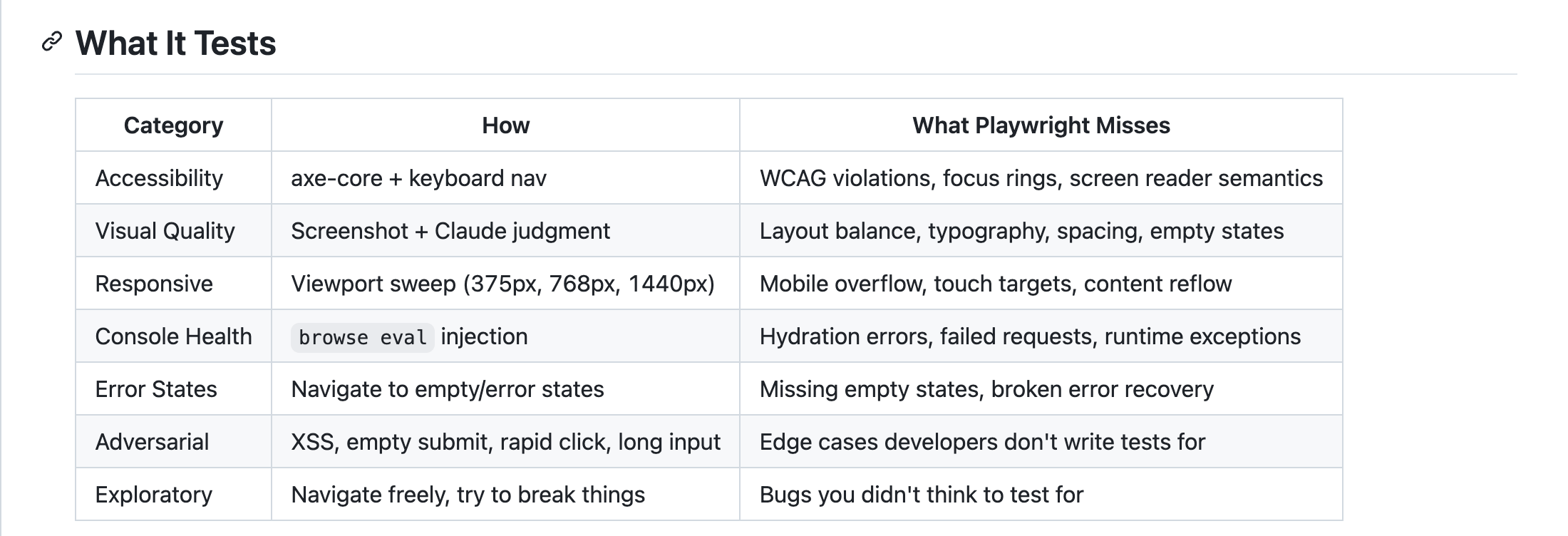
This skill is loaded with knowledge about common web UI bugs that a QA engineer might know to test, but that a less experienced human - or an agent without the skill - might miss.
Browserbase summarizes the skill’s coverage like this:
One key aspect of this skill is that it delegates to sub-agents. As Anthropic engineer Thariq Shihipar said in his Agent SDK Workshop, use sub-agents “when you need to do a bunch of work and return an answer to the main agent.“ That’s a perfect match for this testing skill, where you have a main agent that wants to delegate a bunch of specific QA tasks.
Sub-agents are especially useful for web automation because accessibility trees can return many tokens that clutter the context window. Scoping that clutter to a small sub-agent keeps the main agent’s context cleaner and token burn lower.
The specific adversarial tests are one of the interesting parts of the skill. The test patterns are captured in a separate adversarial-patterns reference file, including attempts to execute XSS exploits like the following:
browse fill "#name" "<script>alert('xss')</script>"
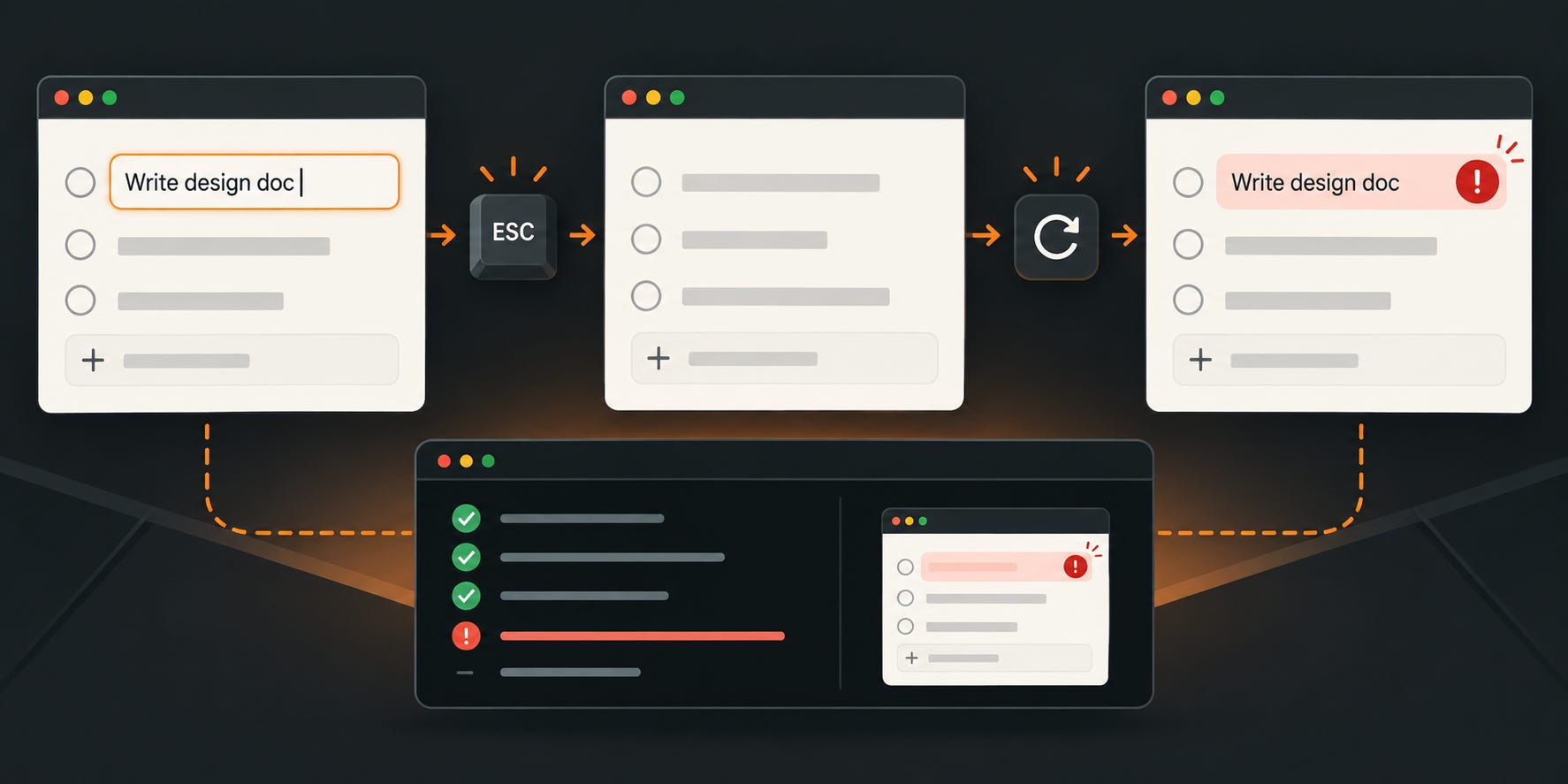
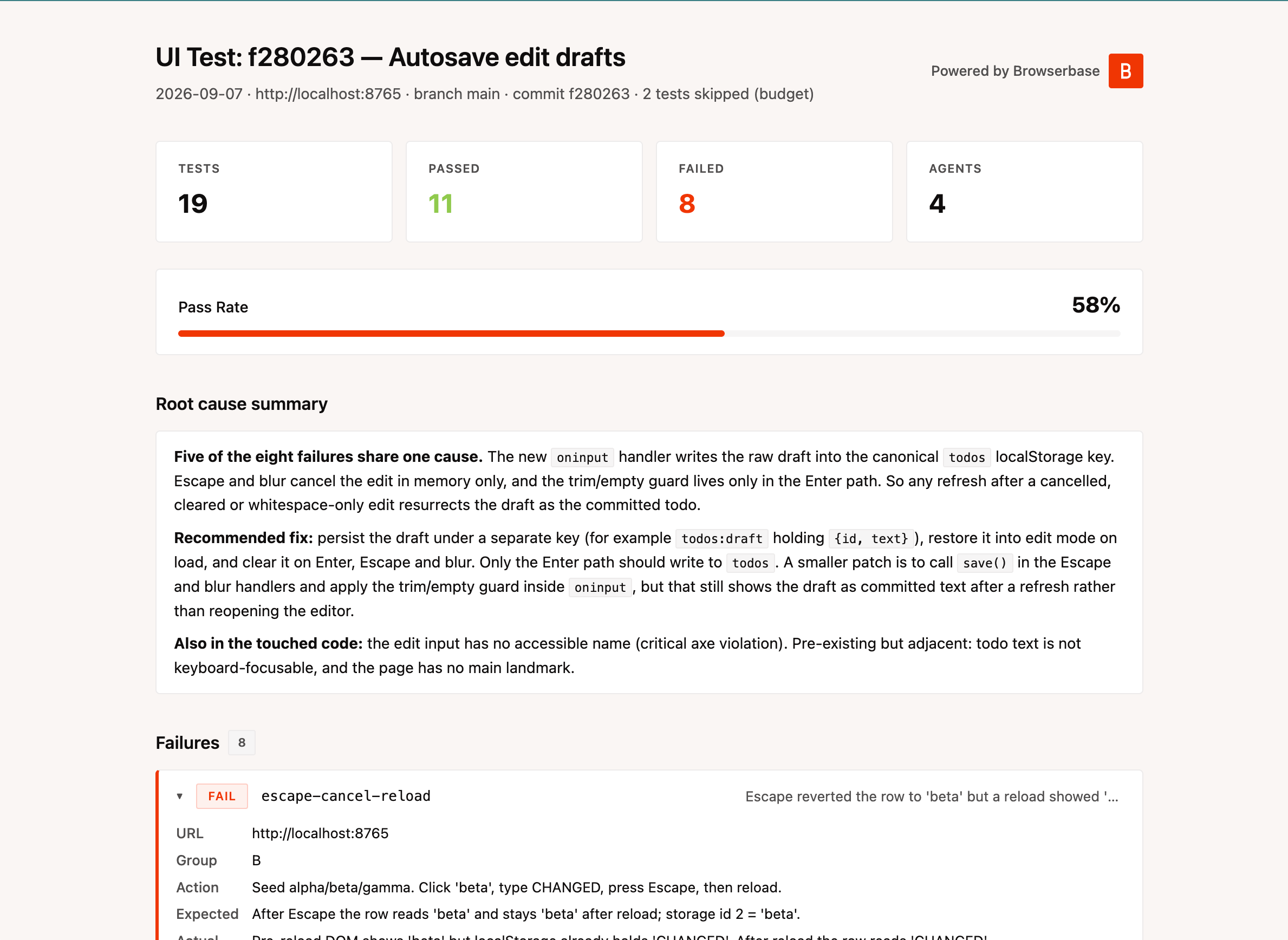
To give this skill a try, I created a minimal TODO app and then introduced a specific bug. Every keystroke made during an edit was written to localStorage, even if the user pressed Escape to cancel. The original value returned on screen, but refreshing the page brought the canceled edit back. Finding it required the specific sequence: edit, press Escape, and then refresh.
When I first attempted to use the Skill, it read the most recent git diff and figured out the bug before it even opened the browser. That’s because the Skill has a “diff-driven workflow” that specifically tests code paths introduced by the diff. While that’s obviously very useful, it felt a bit like cheating, as I was more interested in the Skill’s ability to find bugs in the app as a “black box.”
I tried the Skill again with specific instructions to not look at the source code, git history, or diff, and impressively, it still correctly discovered and identified the bug. This second run used the Skill’s exploratory workflow, where it looked at the whole application and attempted to find bugs through the browser. It also generated a nice HTML report of the bugs it discovered:
Adversarial Ambiguity
The term “Adversarial UI Testing” first made me think of a different concept: generative adversarial networks (GANs), where one neural network generates images and another tries to determine whether they’re real or generated, creating a feedback loop that produces more realistic images.
In my mind, the term naturally maps to agentic web dev, where one agent tries to create a web app and another agent tries to use the web app to see if it accomplishes the specified tasks and is bug-free.
However, the Browserbase skill explored in this article isn’t quite that, as there’s no feedback loop connecting the agent doing the web development and the agent testing the requirements. The word “adversarial” in this skill instead refers to common QA techniques for trying to break web applications rather than using them strictly through their “happy paths.”
Still, I’m intrigued by the concept of agentic feedback loops, as it enables agents to be more autonomous and build things that are more complete with less human supervision.