


Coding agents like Claude Opus 4.5 and Gemini Pro 3 can now generate decent-looking and functional UIs, but the designs they produce are often bland and uninspiring, and often resort to the same overdone patterns like purple gradients. This can be improved with smart prompting strategies, but there’s still a creative limit.
If you stick purely with coding agents for UI design, you are missing out on the massive improvements you can get by combining language models with image models to get the best of both worlds. This is 10x more true than ever since Google released Nano Banana Pro, and incredible image model.
Here’s a comparison of two landing pages for an AI coding course, the first generated by Gemini Pro and the second by Nano Banana Pro.
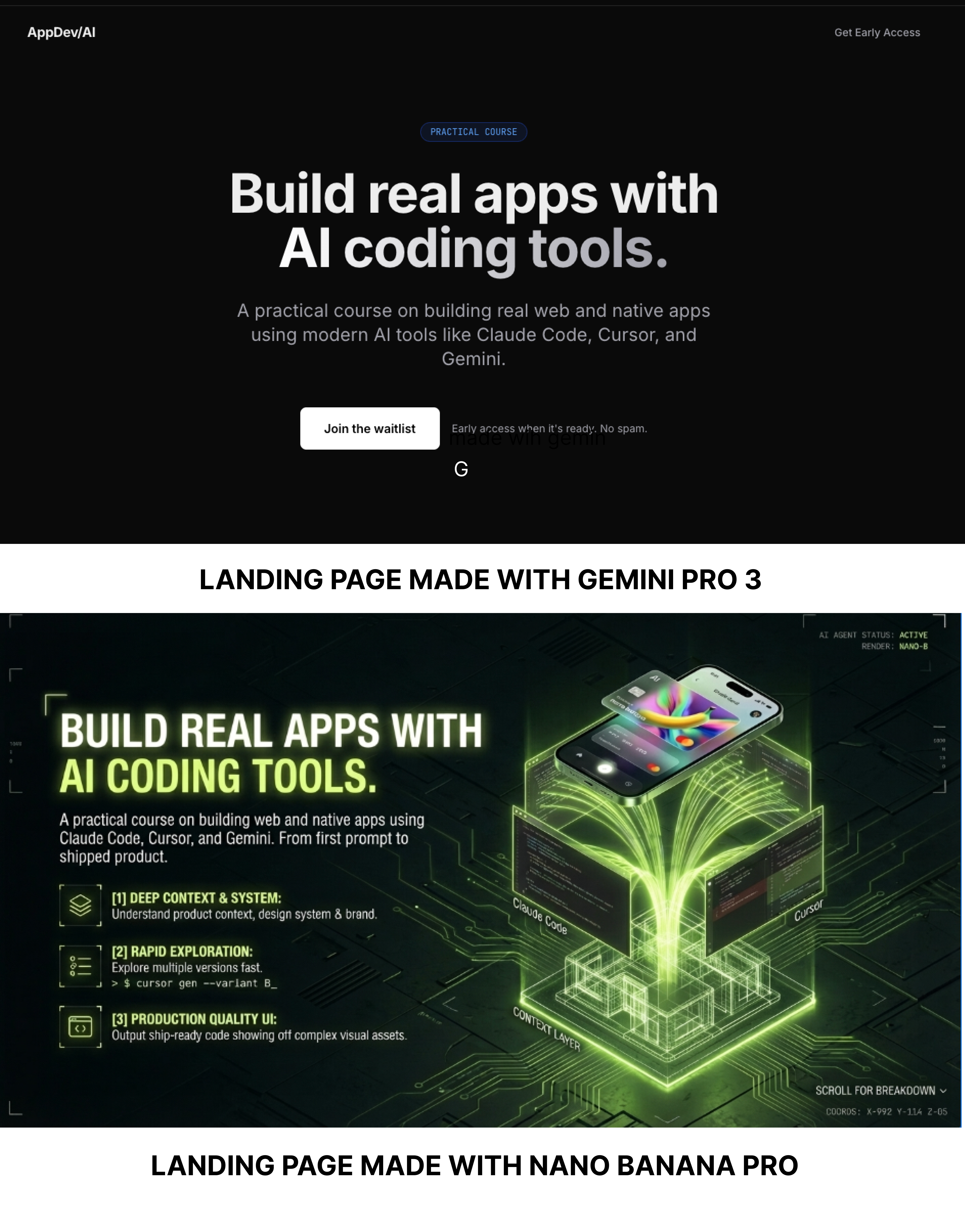
The page generated by Nano Banana is much more creative and visually appealing. Additionally, it’s faster to iterate because you can generate images faster than a coding agent can code a new page. Here’s another landing page for the same concept we quickly generated:
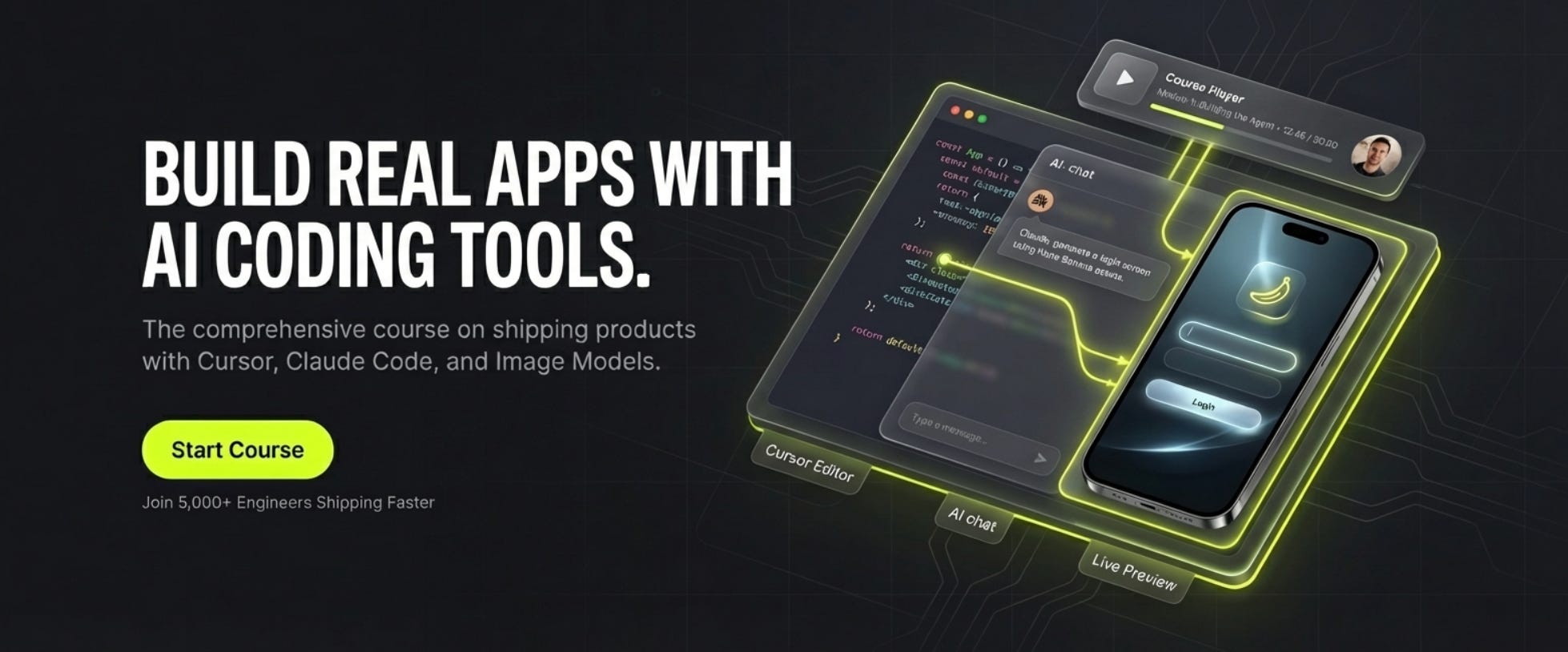
Nano Banana Pro is particularly exciting because it’s much better than previous image models at UI design, which often struggled to render text or comply with the prompt on small details.
Let’s talk about a workflow to combine language and image models for landing page design.
Anthropic’s Frontend Design Skill
Before we dive into the Gemini + Nano Banana workflow, it’s worth reviewing Anthropic’s “frontend design” Claude Skill, which is open-source on GitHub, and can be installed as a plugin with the following commands:
/plugin marketplace add anthropic/claude-code
/plugin install frontend-design@claude-code-plugins
This skill was created precisely to solve the "purple gradient AI UI slop” , and it does a decent job at pushing the agent to do something a bit more unique and creative.
What I find especially fascinating is that the skill doesn’t provide that much specific guidance but instead provides a framework for the model to apply “design thinking” and to commit to a creative aesthetic.
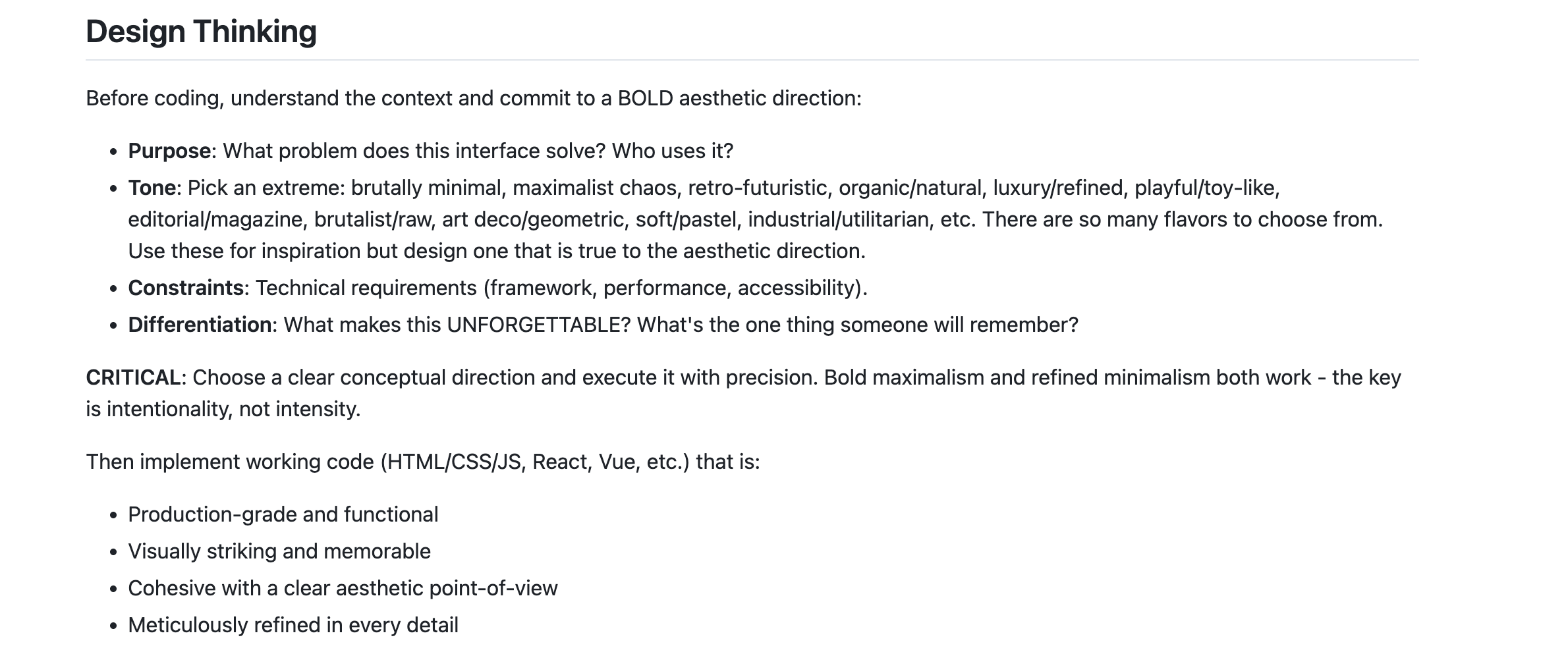
If you’re doing UI coding in Claude Code, I’d consider installing this plugin and skill mandatory. But while it significantly improves the UIs that Claude generates, the creative output is still significantly short of what Nano Banana can create.
Building an AI Design Workflow
The important takeaway here from Anthropic’s frontend skill is something most devs who have done a lot of AI coding already know - LLMs are much better at complex tasks if they first build a plan for that task, then execute that plan.
Design is no different. So our workflow will be something like:
Use the “design thinking” prompts to build a plan for the landing page we want to make. Besides applying design thinking principles, this is also where we ask it to decide on a hierarchy, typography, color scheme, and general creative aesthetic. Optionally, include reference images for aesthetic inspiration.
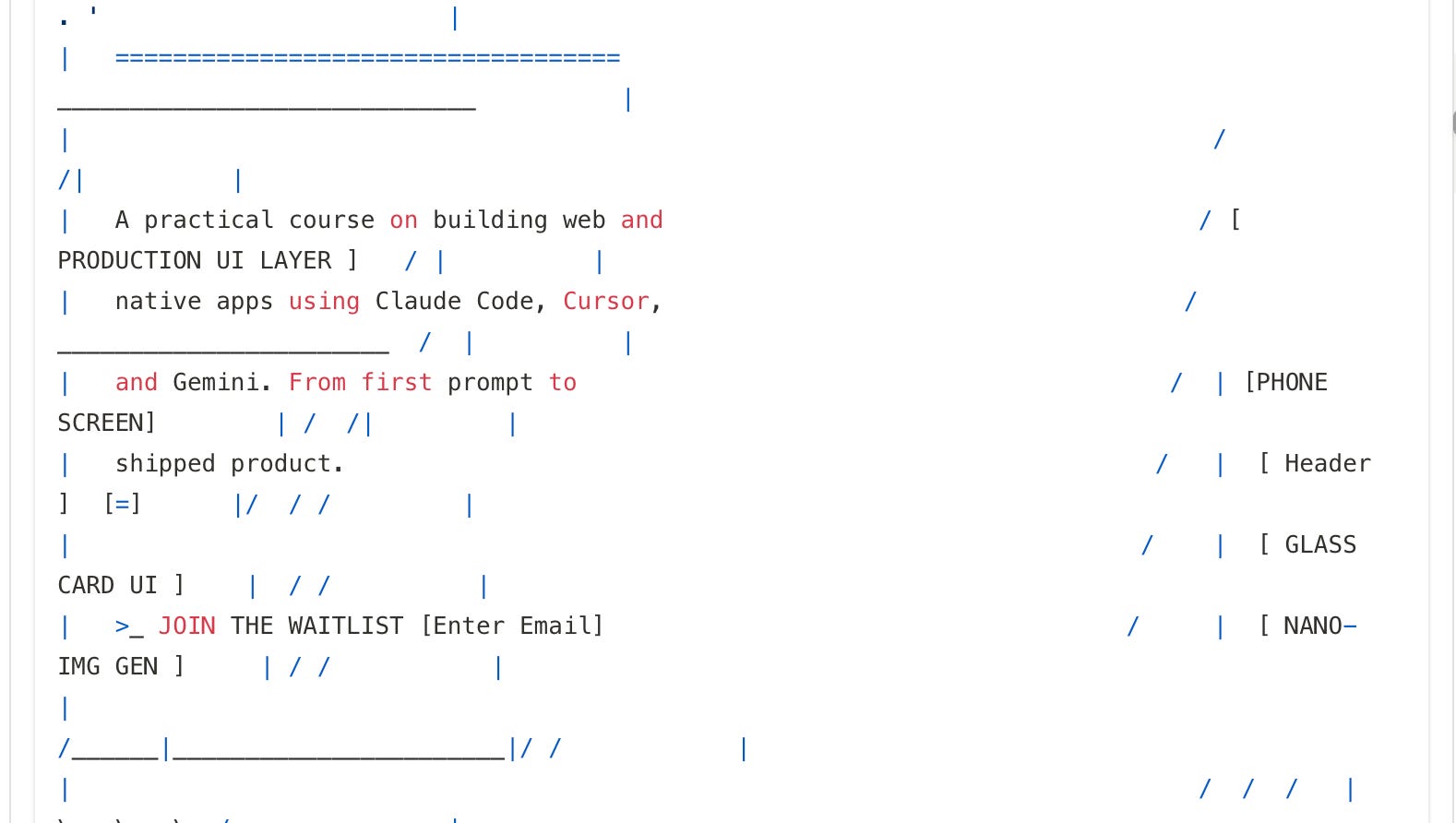
Ask the language model to generate ASCII mocks so we can quickly iterate on specific copy and features of the landing page we want.
Now provide this design plan to the image model , Nano Banana Pro. This is an important step, as image generators will create much more visually interesting designs than a coding agent, which tend to avoid anything visually complex.
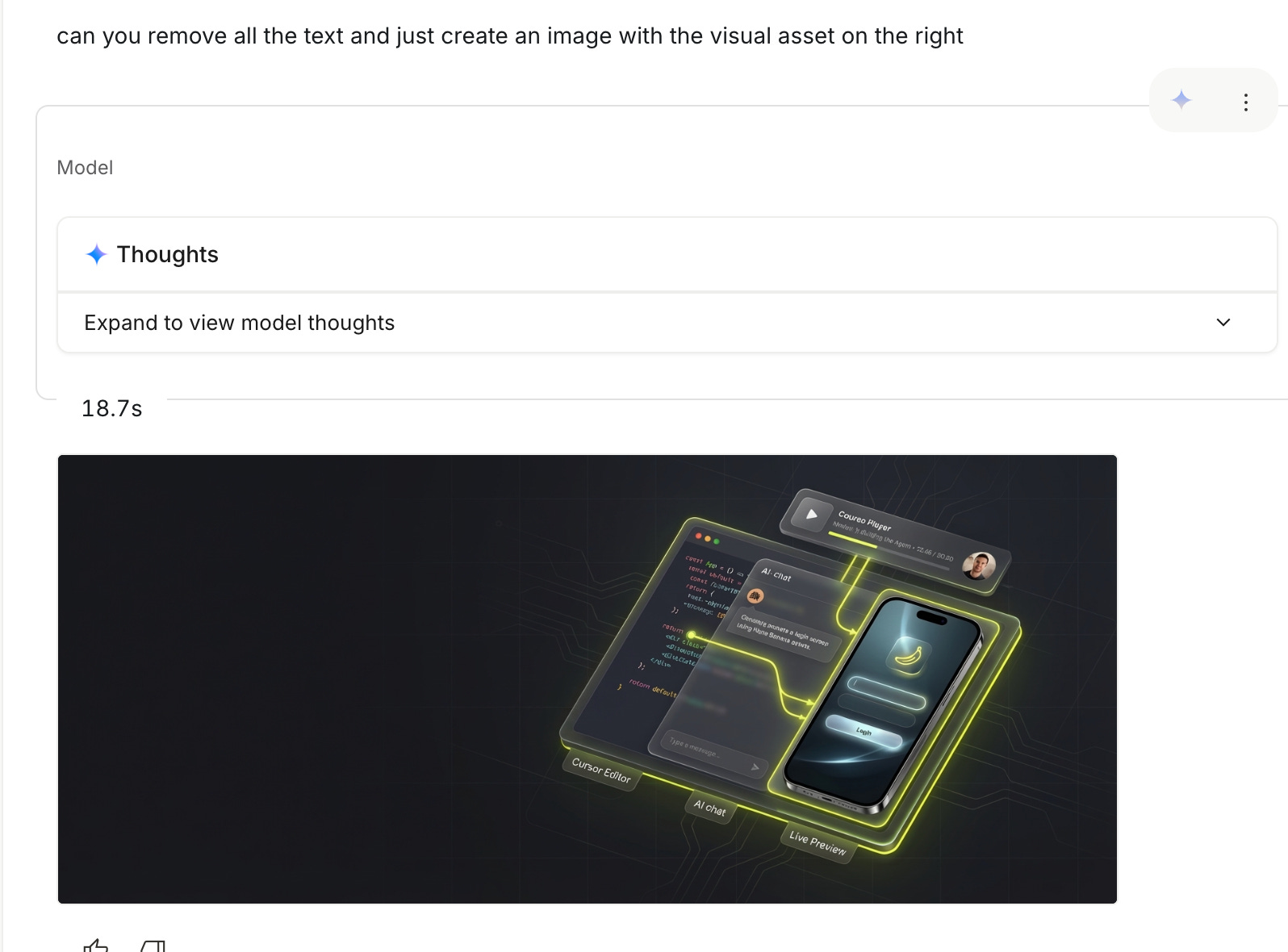
Once we have an image we like, we often want to extract smaller assets out of the full design. We can ask the image model to remove various components until we’ve isolated the assets we need.
Finally, we provide a coding agent with our reference image and isolated assets and have it code up the final page
This approach lets us iterate on the design more efficiently, as having a coding agent code up a landing page is the slowest way to try a new design. With this system, we first iterate on the components on the landing page with fast text discussion and ASCII mocks. Then, we iterate on the visual design with the image generator, which is still much faster than coding up a full page. Finally, once we’re happy with the look and feel of our page, we have the coding agent actually build it.
1. Planning the Design with the Language Model (Gemini, Claude, or ChatGPT)
For iterating with Gemini and Nano Banana, I mostly stuck with Google AI Studio where it’s easy to switch back and forth between the two.
Here is the system prompt I used for Gemini Pro 3 to plan the model (link). Similar to the Anthropic frontend plugin, it encourages design thinking and creating something unique.
Then, I prompted Gemini 3 Pro to give me a plan for a landing page. Here’s my second user prompt. (link)
I also provided additional reference images, which are optional but could help. This is an opportunity to find various visual inspiration online on sites like Dribbble, Mobbin, or Reeoo. You can also use any stock photography site or inspiration site like Pinterest if you just want to provide an aesthetic inspiration. And if you can also provide a reference image of an existing version of the page if you want to stick to that structure.
But what’s important is that we explicitly ask for a landing page plan with this part of the prompt:
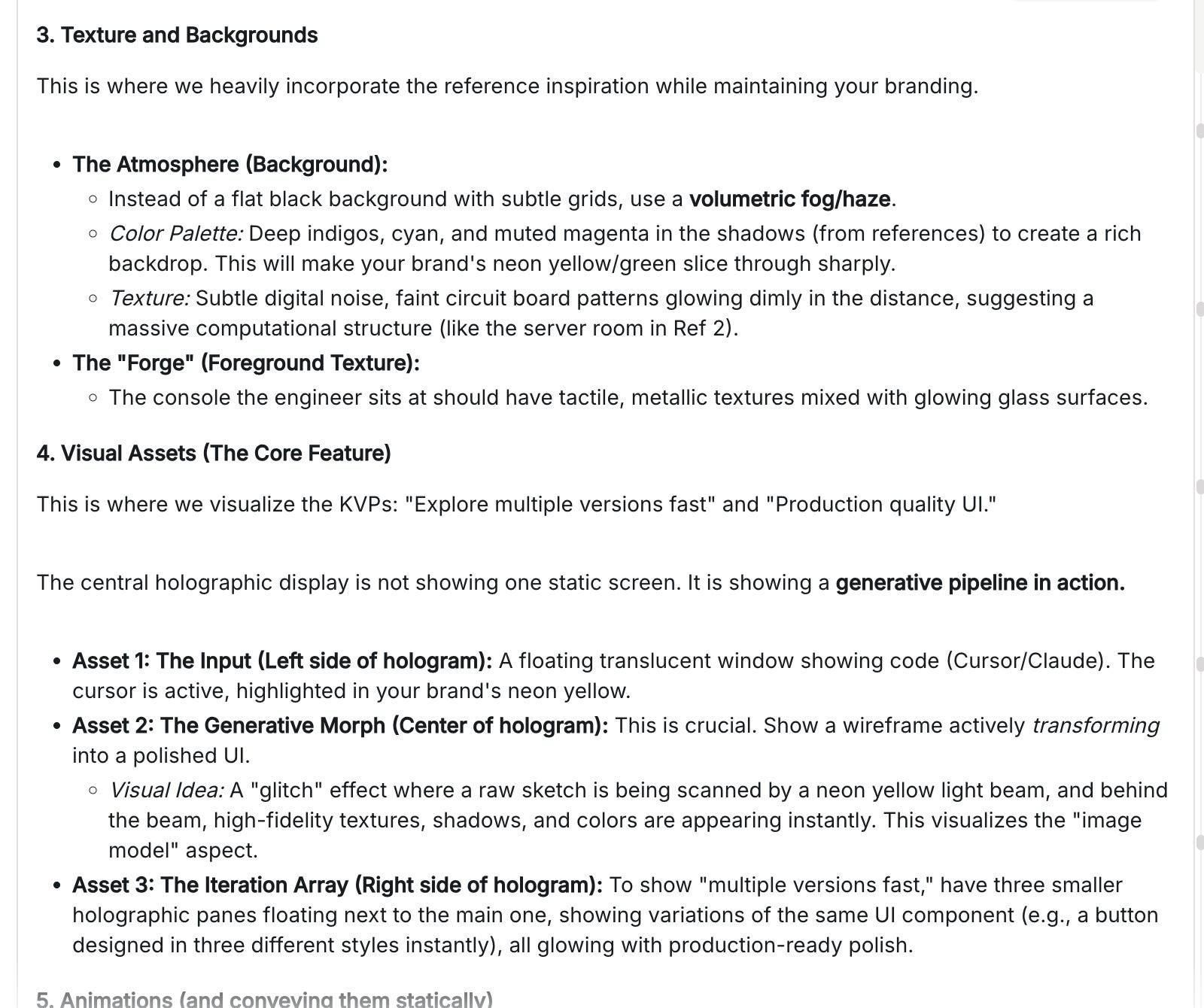
Plan the design, specifically regarding: Ratio of the section Layout, spacing, and white space Texture and backgrounds Animations Be extremely creative
This lets the language model use its knowledge of design, layout, and hierarchy to create a structure for our landing page:
2. Iterate on the basic landing page structure in ASCII
As mentioned, we can start to discuss the basic look and feel of the landing page structure with ASCII mocks. This is going to be the fastest way to iterate on the basic structure.
3. Switch to an image model like Nano Banana and use your design plan as the input
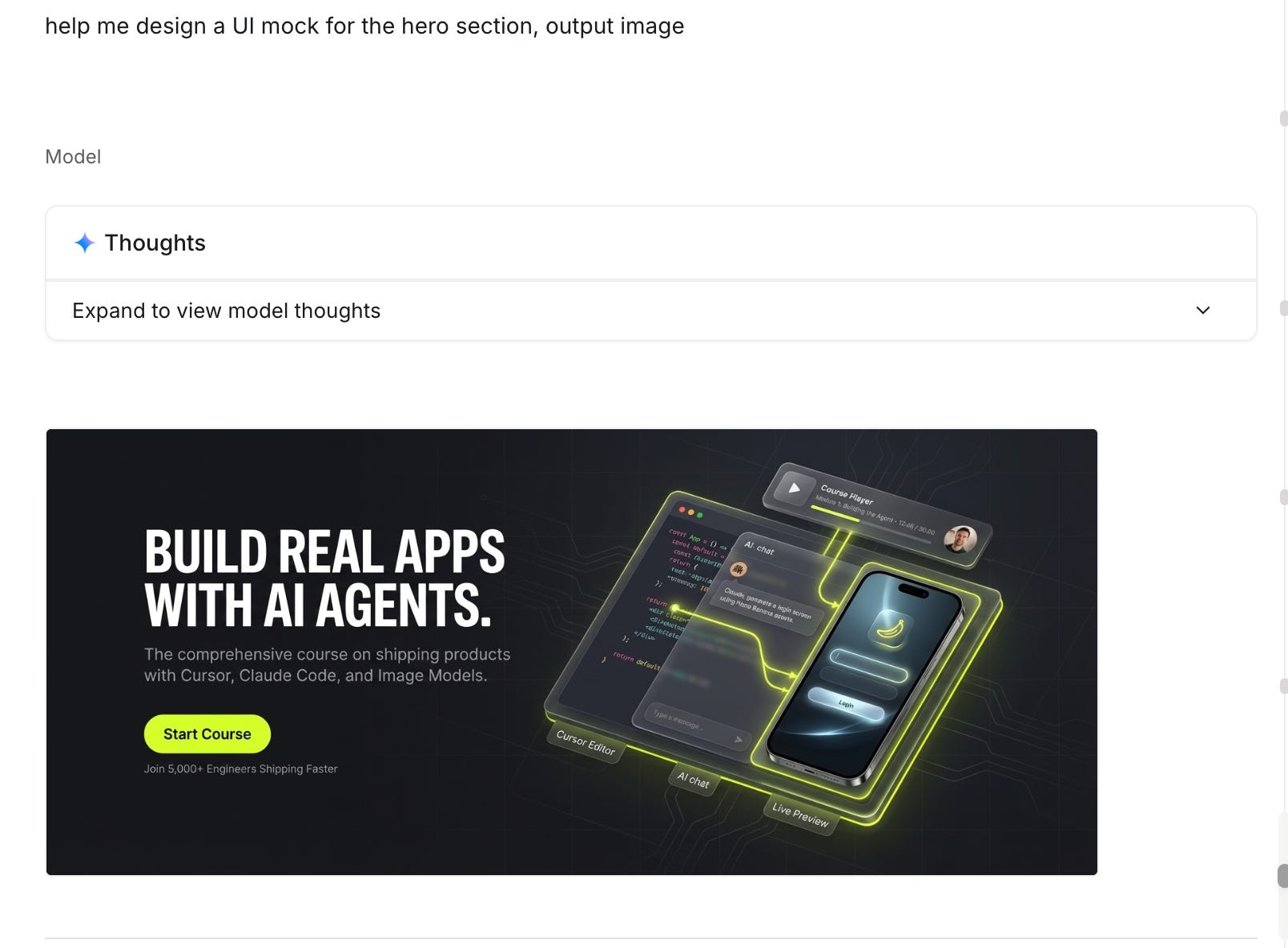
Now that we have a plan and landing page mocks we’re happy with, we can switch our model from Gemini to Nano Banana Pro and provide this instruction:
help me design a UI mock for the hero section, output image
From there, we can iterate on a design that looks good:
4. Extract Visual Assets The Coding Agent Will Need
As you can see in the example above, Nano Banana can generate great-looking visual assets that a coding agent would never make, but it generates a single image. For our coding agent to build this page, it might need specific assets.
Fortunately, we can talk to Nano Banana and ask it to remove various pieces until we have just the individual assets that we can use.
Another optional way to spice up this step is to use image-to-video models like Google Veo to generate short video animations that could make your landing page really pop.
5. Have the coding agent code it up!
Now we have a landing page design plan and design system generated in step 1, we have a final reference image that we’re happy with in step 3, and we have individual creative assets the coding agent can use generated in step 4.
Now, we can go back to Claude Code, Cursor, or our favorite coding agent or IDE and implement the landing page. The coding agent will have a clear plan and a clear visual reference. Just as importantly, you have a clear plan and a clear visual reference to make sure the page looks the way you wanted it to.
An interesting area to explore here is using the Playwright MCP to try to get your agent to build the app until the screenshots of the app match the reference screenshots.
Wrapping It Up
I copied most of this workflow from ‘AI Jason’s YouTube video “Nano Banana + Gemini 3 = S-Tier UI Designer” video. My mind was blown watching his video and trying it out on various projects of mine to great success, so I felt compelled to share.
I’m a typical programmer who has lots of fun ideas, but like many programmers, I’ve struggled with the visual aesthetic aspect of app design. And anyone who’s published any sort of software online knows that your apps looking good often matters a lot.
What I love about this workflow is that it leverages both language models and image models to get the best of both worlds. With the language model, you get a cohesive plan and design system that you can re-use throughout your project. With the image model, you get the maximum amount of visual creativity. Then finally, you head back to your coding agent to get it built for real.
Building professional-looking software is more accessible than ever, but there’s still plenty of challenges in optimizing design workflows like these. I’m hoping to dive deeper on this topic, especially around building more complex UIs, and streamlining the process, and experimenting with tools like Playwright MCP to match the agent’s work to the reference image.
I hope this topic fascinates you as much as it does me. Happy holidays and I look forward to sharing more AI coding experiments in 2026!
This is crazy / super cool. Excited to try it out! Thanks for sharing your prompt, too.
Super interesting tidbit about Anthropic's frontend design skill; I'm surprised by how minimalist the prompt is, but clearly effective! (if, not as talented as gemini)